

RF Online 2.1.5 · the original sci-fi MMORPG, free, English and Russian client
Play freeGame systems
Quests in RF Online
As you play, your character is given special quests. They are optional, but doing them teaches you the game and hands you a lot of new and useful information.
Kinds of quest

Regular quests. Every time a player reaches a new level, the Commander gives them a new quest. Completing it earns money, items (given as a reward only up to level 30) and status points.

Extra quests. Besides the regular ones a player can take extra quests from other NPCs, usually from vendors. Completing them earns money, items (again only up to level 30) and status points.
The journal
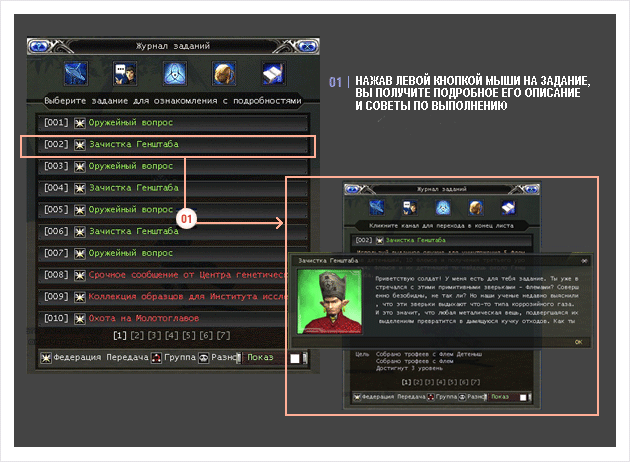

Inventory. This holds the trophies picked up while doing a quest.

Quest journal. The list of every quest, colour-coded:
Grey: five or more levels below your character.
Green: up to four levels below your character.
Yellow: at your character's level.
Red: above your character's level.
Doing a quest
Step 1
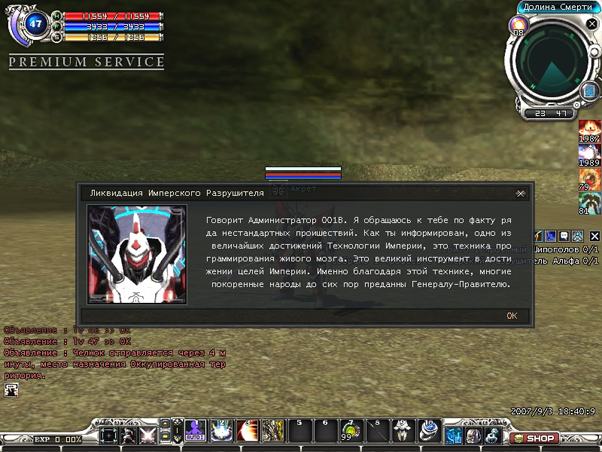
When your character reaches a certain level, or meets certain conditions, an icon and a message about a quest appear on the right. Press Yes and an NPC appears to tell you about the quest, how to do it and what you need.
Step 2
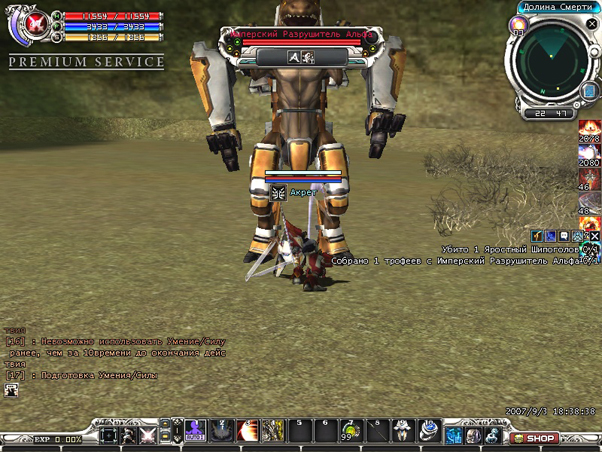
Using what you were told when the quest was given, carry out what the quest asks. If you want to re-read it while you work, press J or Ctrl+J to open the journal and look up the quest you are interested in.
Step 3
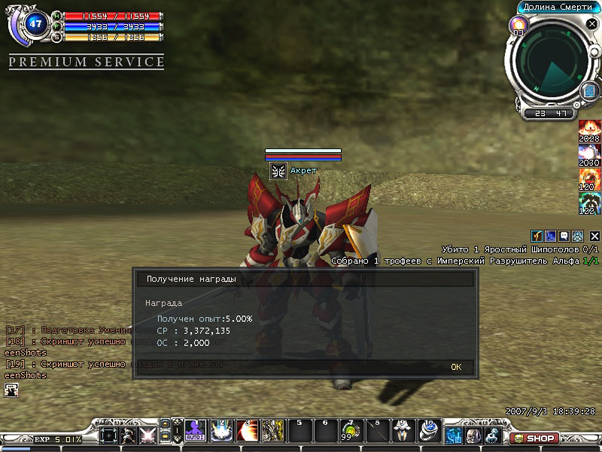
Once the quest is finished the quest icon appears on the right. Press Yes to close the quest out and collect your reward.
Try it in the game
This guide comes from the original RF Online. The same game runs here as version 2.1.5, free, on Windows and Mac.
Source: rfonline.ru (Innova, 2007–2009), recovered from the Internet Archive. original page