

RF Online 2.1.5 · the original sci-fi MMORPG, free, English and Russian client
Play freeGame systems
Auction
What is the Auction in RF Online?
The Auction is an automatic trading system within your own race.
Listing an item and selling
Listing an item at auction costs 0.1% of its price. An item can stay listed for at most 72 hours. If the character is not on the server the listing stays active, and if the item sells, word of it arrives as soon as the character logs in.
Step 1
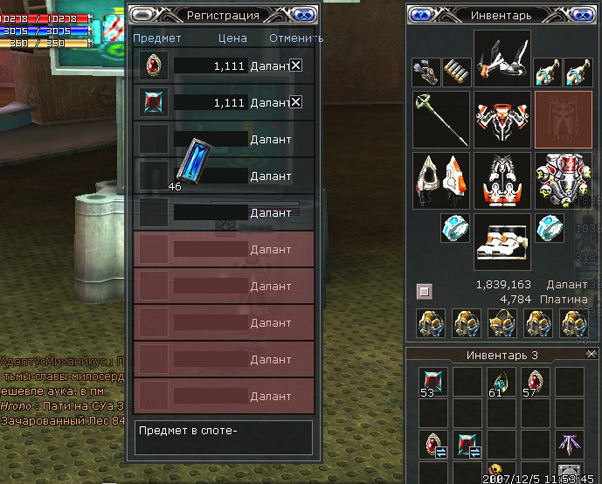
Click the auction terminal, choose Register item, then drag the item you want to sell into the Registration window that appears and set a price. You can list up to 5 different items at once; a Specialist can list up to 10.
Careful. Enter the total price for what you are listing. If you have a stack of 99 of some resource, the price you set must be for all 99 of them.
Step 2
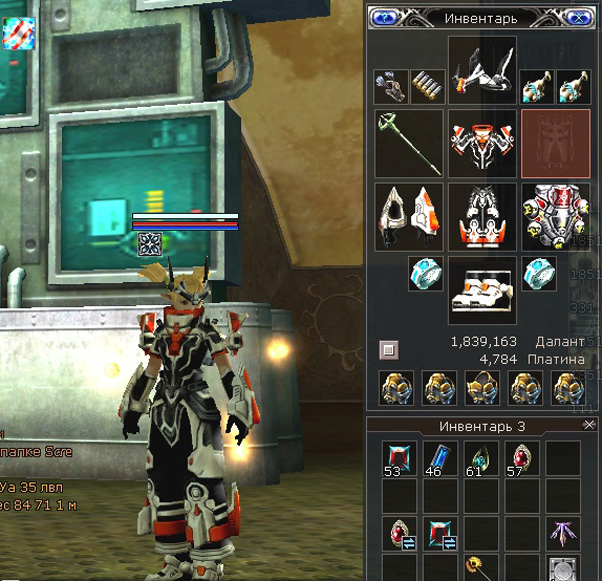
Once an item is listed successfully a marker appears on its icon. To cancel a listing, press Register item and click [X]; the listing is withdrawn.
Step 3
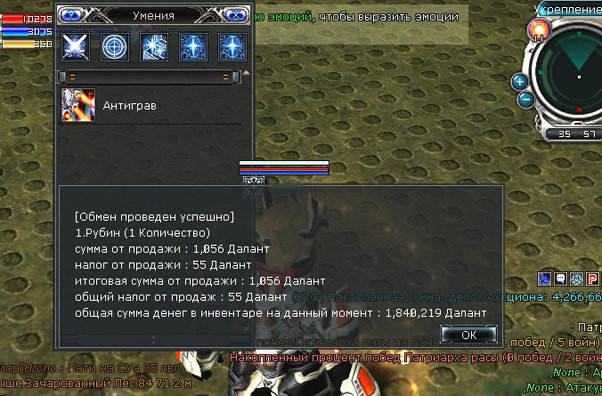
If another character buys your item, a message appears in the bottom right of the screen. Click it and the money for the sale goes straight into your inventory, less the commission of 3% of the item's price and the tax rate, which runs from 5% to 20%.
Buying items at auction
Step 1
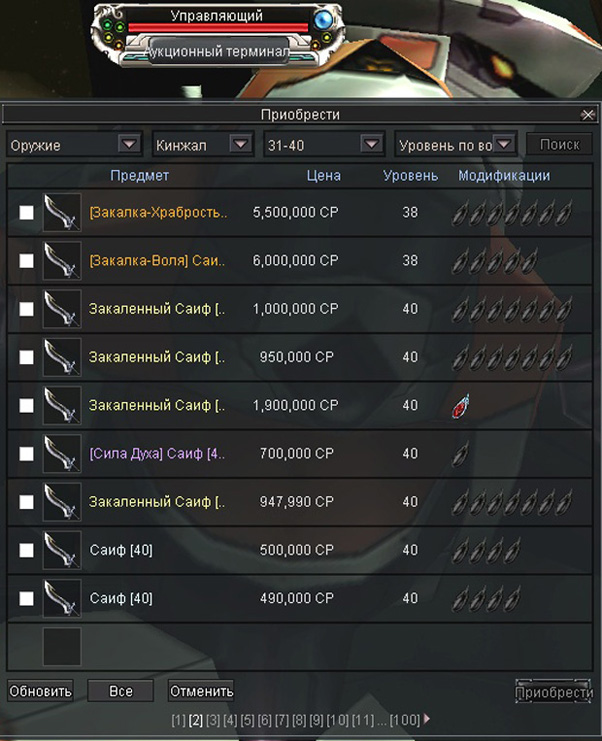
Click Purchase item and the buyer's interface opens. Choose the category you want, set your filters, press Search and you will see the list of what is available.
Step 2
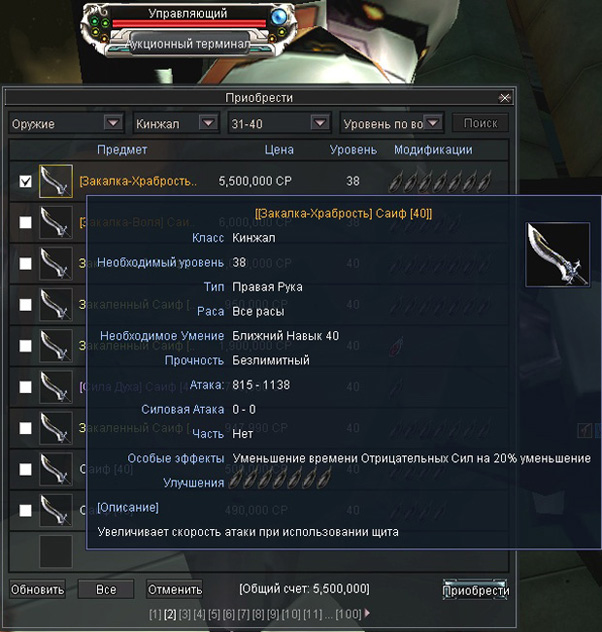
Hover over an item and a window with its details appears. Tick the items you want to buy and they move into a pending state.
Careful. Items in stacks cannot be bought individually.
Step 3
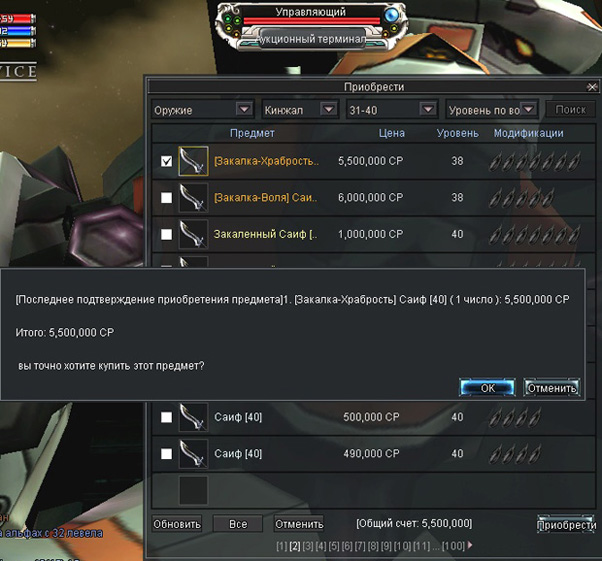
The total for your purchase shows at the bottom of the pending list. Press Purchase to finish. A window appears telling you which items were bought and how much was spent. Confirm to complete the purchase.
Try it in the game
This guide comes from the original RF Online. The same game runs here as version 2.1.5, free, on Windows and Mac.
Source: rfonline.ru (Innova, 2007–2009), recovered from the Internet Archive. original page