

RF Online 2.1.5 · the original sci-fi MMORPG, free, English and Russian client
Play freeGetting started
Creating a character
When you create a character in RF Online you must decide in advance on the race and the character's traits. Every race has distinctive features that are chosen at the start. Choose carefully: it will strongly affect how the character develops later.

Step 1
To begin, press Create to open the race selection. There are only 3 character slots.
Step 2
Next comes the choice of race:
- Bellato Union
- Holy Alliance Cora
- Accretia Empire
Attention!
Only 3 characters can be created, and all of one race. Treat the creation of your characters with the greatest care: if you later want a character of another race, you first have to delete every character you have. After choosing the race press Accept, and the base class selection appears.
Step 3
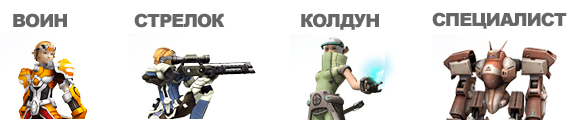
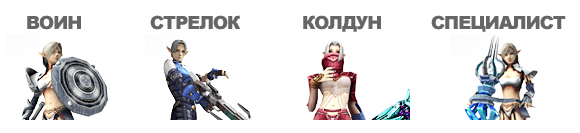
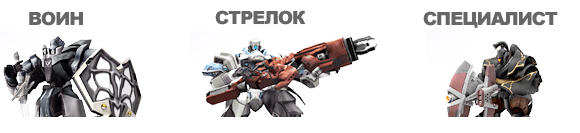
Details of the classes are in Races and classes. After choosing the base class press OK to move on to the character's appearance.
Bellato classes
Cora classes
Accretia classes
Step 4
Choose the character's sex (the Accretia have no female characters) and appearance, changing the following:
- Head
- Face
- Torso
- Legs
- Arms
- Feet
Enter the character's name and press OK. Once created, the character takes a free slot. To enter the game press ENTER.
Try it in the game
This guide comes from the original RF Online. The same game runs here as version 2.1.5, free, on Windows and Mac.
Source: rfonline.ru (Innova, 2007–2009), recovered from the Internet Archive. original page